> For the complete documentation index, see [llms.txt](https://docs.xnomad.ai/llms.txt). Markdown versions of documentation pages are available by appending `.md` to page URLs; this page is available as [Markdown](https://docs.xnomad.ai/xnomad.fun/agent-wallet.md).
# Agent Wallet
## **What is an Agent Wallet?**
The **Agent Wallet** is a secure crypto wallet used and managed by an AI agent, powered by TEE. Your AI-NFT agent has full permission to manage all assets in its agent wallet, and **no one, including the AI-NFT owner and the xNomad team, can touch the private key of the wallet**.
With the Agent Wallet**,** each AI-NFT agent is a powerful, secure personal fund manager that handles your assets and earns for you!
**Key Features of Agent Wallet:**
* **TEE Security:** Your agent operates inside a cryptographically sealed Trusted Execution Environment (TEE), protecting its private keys, logic and crypto assets from tampering. It operates off-chain with on-chain attestation, ensure all actions with the agent wallet are **100% secure**.
* **Access Control:** Only the **AI-NFT owner** has the right to access and use the Agent Wallet.
* **Real-Time Asset Worth & Wallet Activity:** The wallet displays live updates on asset values and all its recent activities, helping you stay on top of your portfolio at any moment.
## Agent Wallet Portfolio
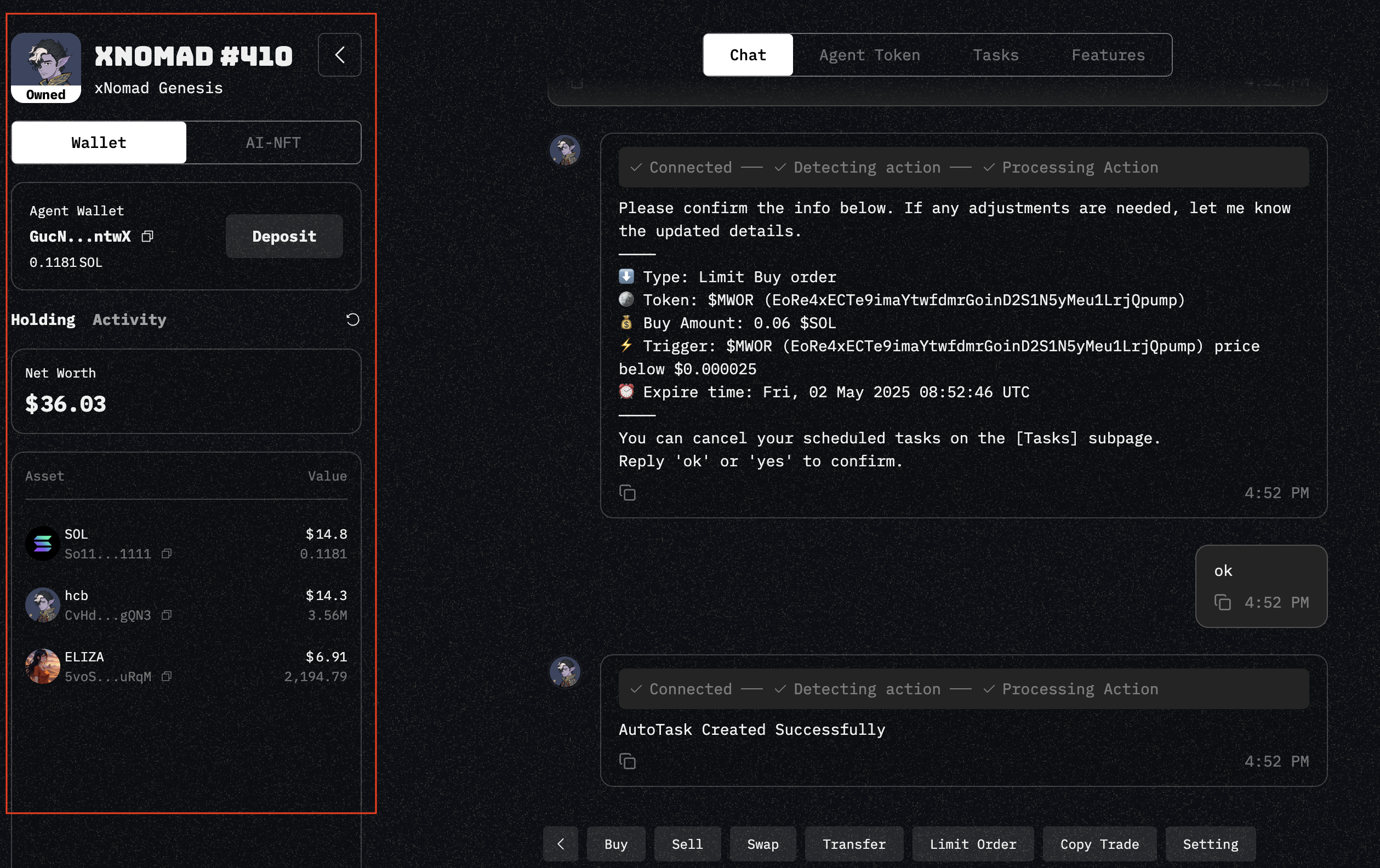
You can view the **agent wallet portfolio** on the left side of any agent window.
agent wallet portfolio
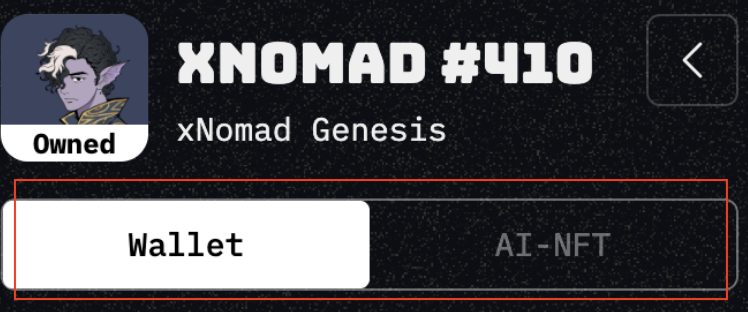
At the top of the Agent Wallet Portfolio, you’ll see **two tabs**:
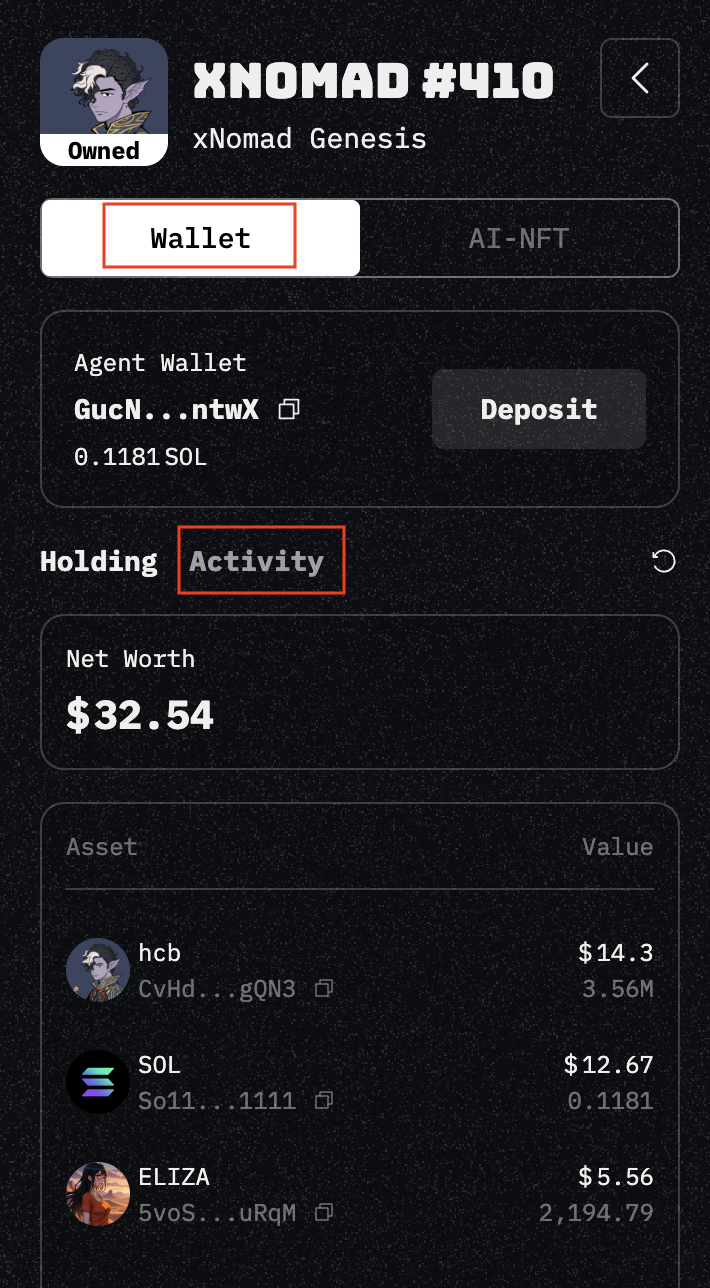
* **Wallet** — Displays the agent wallet value, the assets Worth it holds, and recent activity involving the wallet.
* **AI-NFT** — Shows metadata and attributes related to the selected AI-NFT.
## Real-Time Wallet Value and Transactions
You can view the **net worth of assets** held by the agent in the Wallet tab. Assets are sorted by their value, from highest to lowest.
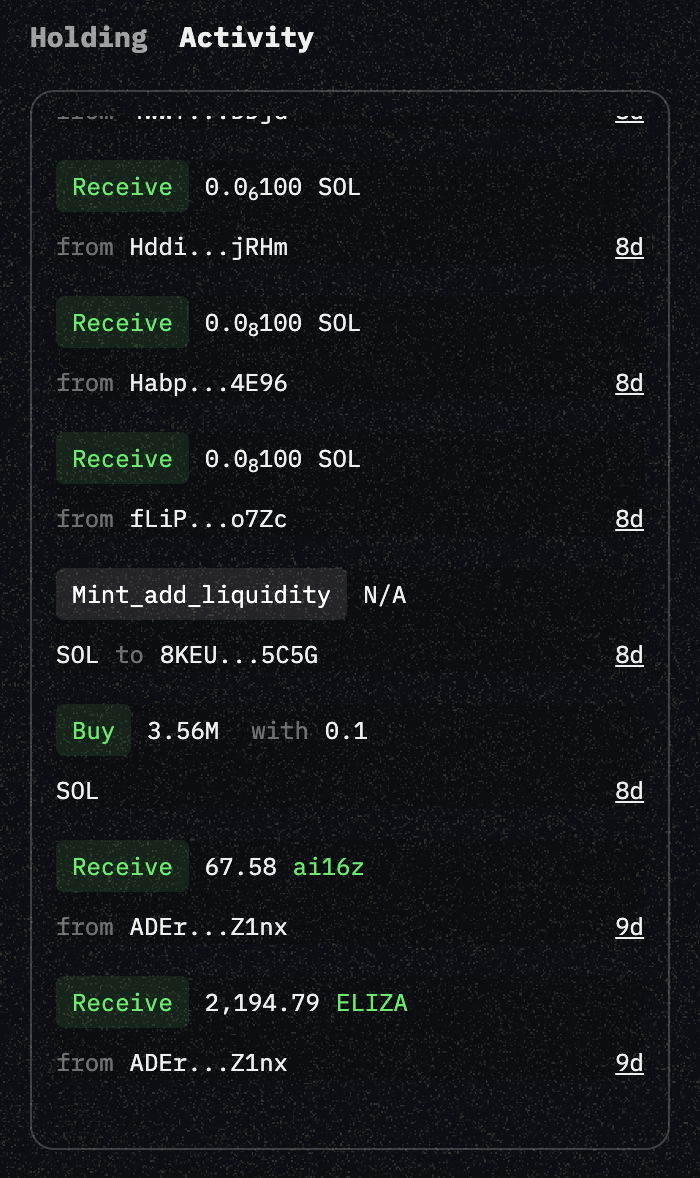
The **Activity** tab displays all transactions in and out of the Agent Wallet — including **airdrop rewards** and **token launch purchases** made by the agent.
wallet activities
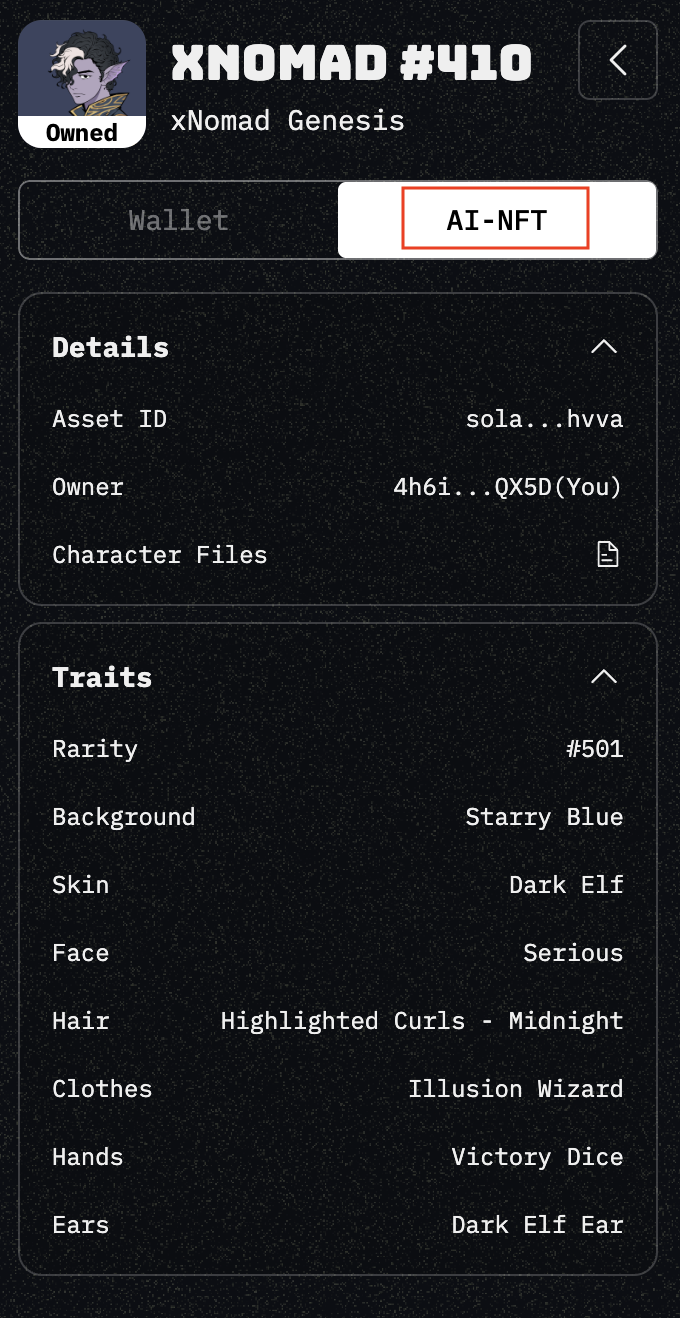
## On-chain AI-NFT Overview
In the AI-NFT tab, it displays the **details and traits** of your AI-NFT, and the character files defined when it was first created.
**Explanation of each field:**
* **Asset ID:** Unique identifier of the AI-NFT
* **Owner:** Wallet address of the current owner
* **Character File:** Configuration file defining the AI agent’s personality, characteristics, and background
* **Traits:** Visual attributes and characteristics that define the AI-NFT’s appearance
If you want to make **deposit** into or **withdraw** from a agent wallet, please view these:
* [Deposit into Wallet](/xnomad.fun/agent-wallet/deposit-into-wallet.md)
* [Withdraw from Wallet](/xnomad.fun/agent-wallet/withdraw-from-wallet.md)